Filing entries and managing sources
3 min read
Every entry files to a source: the book, essay, or whatever you're reading. You can file before you speak, while you speak, or later.
Before: pick a source
On the capture screen, Select a source shows your active readings. Pick one and it sticks for the session, so a reading night files itself. You can add a new source right from the picker.
During: just say it
Mention the source mid-thought, say "chapter three of Middlemarch", and Ruxpin notices. After the capture lands you get a quiet card: We heard the source. File under… puts the entry there, creating the source if it's new.
Heard it wrong? Not this, choose a source opens the picker to pick another reading or add one.
Filing opens the entry in your Library; Back walks up to the source.
Later, or never: Unfiled
You don't have to answer that card. Leave it and the entry stays in Unfiled, an inbox rather than a shelf, as if you'd never named a source. Unfiled sits at the top of your Library and goes once nothing is waiting. Open any entry there and tap Select a source to file it whenever you like.
Filing is optional. An unfiled entry is still in your record, still turns up in search, and Rux still draws on it. The ⓘ beside the heading says so.
Adding a source on its own
Create then Source opens the same form as the Library's + Add source, as a page ending on Add it, and lands you on the new source's page.
Your Library
The Library tab is the catalog of everything you've filed, each source with its entries.
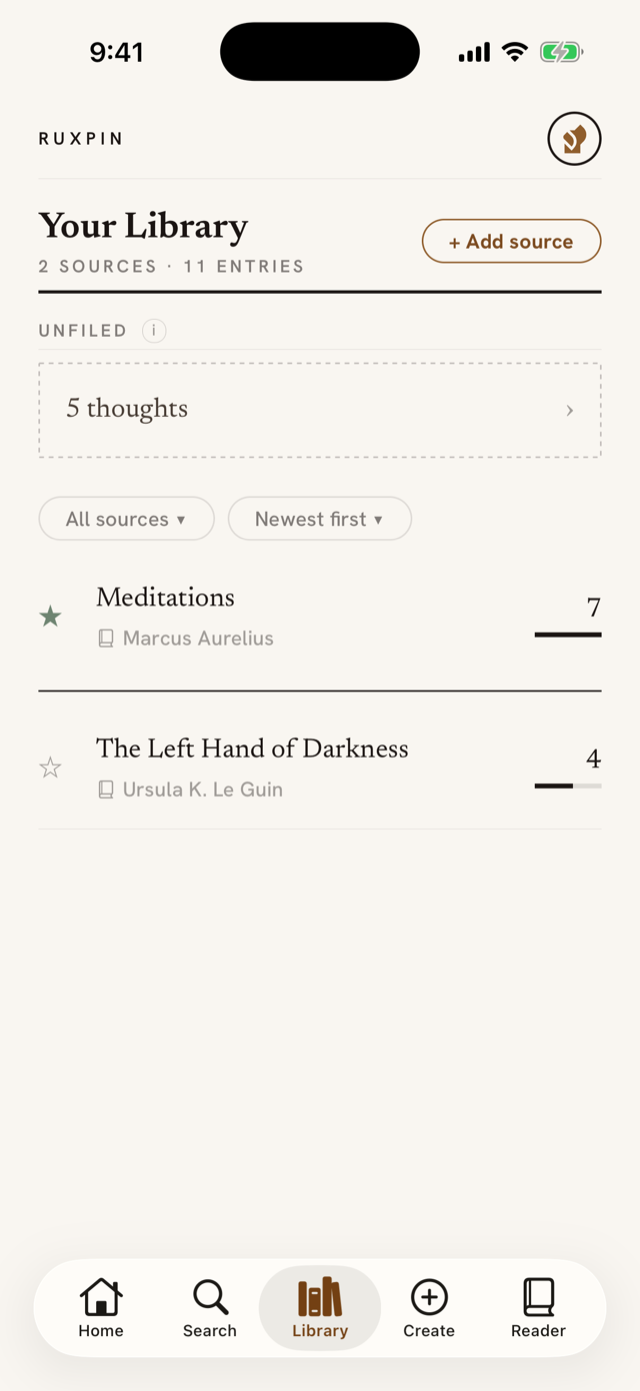
+ Add source at the top adds a reading in a small drawer. To move an entry between sources, open the entry → Edit → Source.
Inside a source or an entry, a small trail at the top shows where you are. It starts with the tab you came from, as in Home › the source › Entry, or Search › after a search, and tapping that first step takes you back there. The last step is where you already are, and a long title shortens to fit. The source in the middle is always the one the entry is filed under, so an entry you found through search still shows its reading.
Kinds of source
Every source is one of three kinds: Article, Book, or Other. Article covers written prose that isn't a book: an essay, a paper, a newsletter, a post. Other covers everything else, including anything you listened to. Each kind carries a small mark, so a glance down the Library tells you what you were reading. When you name a source aloud, Ruxpin picks the kind; you can change it any time from the source's page, or when you add a source by hand.
Each row leads with a star, which pins that source above a heavier rule at the top of the list. See Starring what matters.
Once you have more than one source, two controls sit just above the list. The first chooses what's shown: All sources, Starred, or one kind of source. The second chooses the order, from Newest first to Most entries to A – Z. Each one shows what it's currently set to.
Opening a source shows a map of where your entries landed in it, anything you've starred there, and every entry filed to it. See Inside a source.
Deleting a source
Swipe a row left in the Library and a red Delete appears; tap it and Ruxpin asks first, naming the source and its entry count. Nothing is deleted by the swipe alone. The same delete sits at the bottom of the source's own page.
The swipe works the same way down a source's list of entries, and on the themes and follow-ups inside an entry. Every one of them asks before it acts.
A deleted source and its entries leave every screen straight away and are erased for good after 30 days (see Your data & deleting).