The lock screen widget
2 min read
Ruxpin can sit on your lock screen as a small round widget. Tap it and you are recording, without finding the app first. It is the fastest way to catch a thought while you are still holding the book.
Adding it
The widget row lives under the clock on your lock screen. iOS only lets you put it there yourself, so this takes four taps.
- Press and hold your lock screen, then tap Customize.
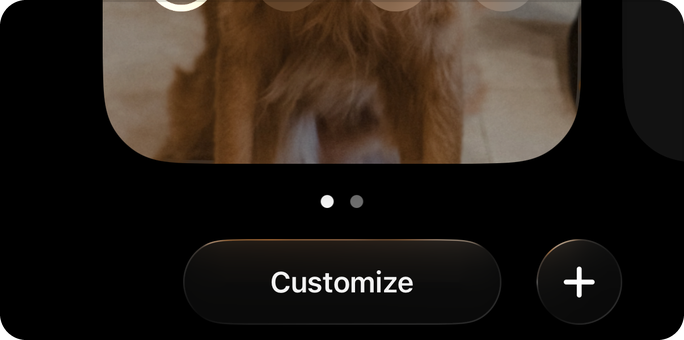
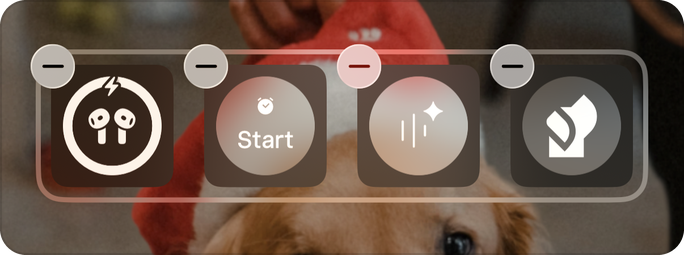
- Tap the row of widgets under the clock.
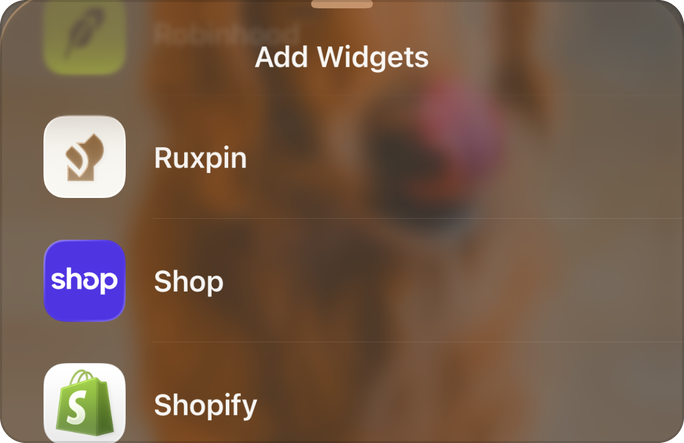
- Search for Ruxpin, then tap it in the list. Ruxpin offers two widgets.
- Add Capture a thought, the one with the Ruxpin mark. From then on, one tap and you are recording.
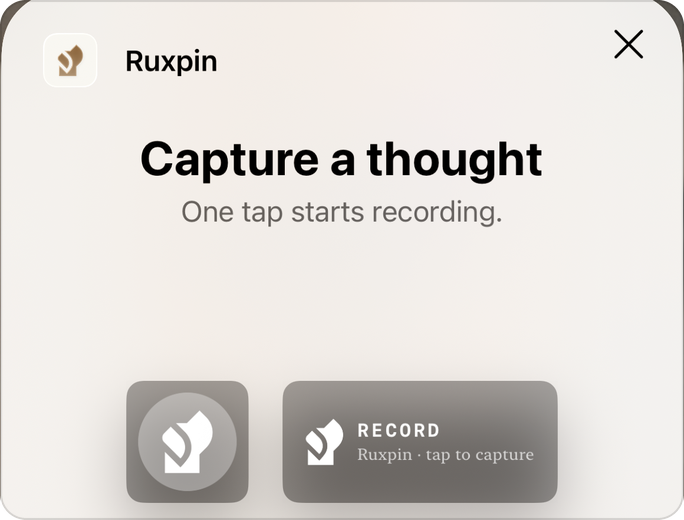
The row holds four small widgets. If it is already full, remove one with the minus button first.
The other Ruxpin widget, Daily Spin, shows the number you spun for today and lets you mark it read. Daily Spin covers it.
What happens when you tap it
Ruxpin opens straight into recording. You do not land on Home and you do not pick anything first: speak, and the thought is filed the way it is when you record inside the app. If your phone is locked, iOS asks you to unlock before the app opens, and the recording starts as soon as it does.
If you have not signed in yet, or you have not been through the first few questions Ruxpin asks, it holds the tap and takes you there first. The recorder opens when you are through, so the tap is not wasted.
Seeing the walkthrough again in the app
Tap the round Ruxpin button top-right, choose Profile, and look under Preferences for Lock Screen widget. The same four steps are there, and you can open it as often as you like.
If Ruxpin is not in the list
The list only shows apps that offer a lock screen widget, and it can lag behind a fresh install. Open Ruxpin once, then try again. If it is still missing, restart your phone, which rebuilds the list iOS keeps.
The widget needs iOS 17 or later, which is a step above what the app itself needs. On iOS 16 Ruxpin works normally and the widget simply never appears in the list. Settings, General, About shows your version.
If tapping it does nothing
The widget opens the app and nothing else, so a tap that goes nowhere is usually the app failing to launch rather than the widget. Open Ruxpin from the Home Screen to check. If recording itself is the problem once you are in, recording won't start covers what to look at.