Rux: what it sees and what it can't
3 min read
Rux is the reflective companion in Ruxpin. It reads your record, and nothing else.
What Rux works from
When you ask Rux something, it's handed a small set of your own past entries: from the same reading, from matches on your question, from the themes it is about, and from your recent captures.
It can also go and look: search your record for a word you name, open everything filed under one book, or open a single entry in full, so a reply can reach something from months ago. Everything it says is grounded in your own entries, and every citation is real and tappable.
It can also make: ask for a study note from an entry or a book and Rux makes one while you wait, handing it back as a card that opens the note (Make). He makes nothing unless you ask.
What Rux can't see
- The text of your books. Ruxpin doesn't contain book text and Rux can't look it up. It knows Middlemarch only through what you've said about Middlemarch.
- The wider internet. No browsing and no outside sources.
- Other readers' records. Your entries are yours alone.
- Work that isn't reading. Ask it to draft your cover letter or write your talk and it will turn you down, warmly, and hand your books back.
This is deliberate: Rux holds up a mirror to your own thinking. Questions about your reading are always fair game, even ones your record can't answer, and so is asking which of your notes bear on a talk or a decision you're weighing. What Rux won't do is the work itself.
Very occasionally a reply stops partway and Rux says so: a filter on what it writes back errs toward letting difficult subjects through, because books are full of them. Nothing filters what you capture.
Where to find it
Rux arrives as a sheet over wherever you are, and the same Rux box invites it everywhere: on Home it draws on your whole record, on a source it stays with that reading, and under an entry it starts from that one. Type a question and tap Ask. On an entry, leave the box empty and tap Reflect to hear what Rux notices unprompted. On a source or an entry the box carries a line from Rux offering to make something, which opens the Make menu. Ask Rux in the Ruxpin menu at the top of any tab reaches your whole record too, and a search offers to hand him your question.
The small sitting dog on the Rux box is Rux himself; he has a page of his own.
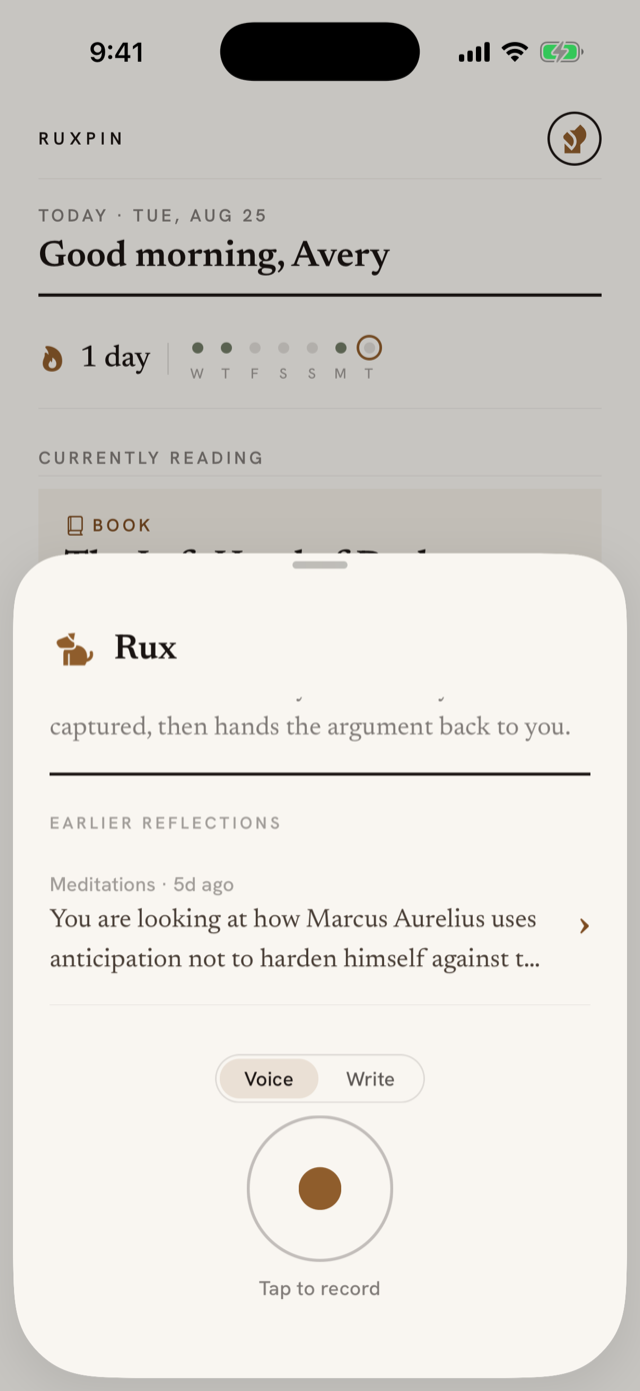
If you haven't yet allowed Ruxpin to send thoughts to the AI service (the Ruxpin uses AI. screen you met after signing in), your first question brings that sheet back with an Allow and ask button, and your question is kept while you decide.
Speak your question or type it. Rux keeps the thread: reopen an entry's reflection and the earlier exchange is there to continue. Threads rest after two weeks, and the next question starts a fresh one.
Your reader file
Rux keeps one small background note about you as a reader: what you tend to read for, threads you're working on, how you like to be answered, and the subjects your record keeps returning to. It's rewritten each week from your own themes, plus anything durable from finished conversations. It's about you, never a copy of your entries, and it stays private to your account. You don't have to talk to Rux for it to exist: capture enough and it writes itself.
You can read exactly what Rux has written there at Profile → Reader file, alongside the themes it was built from. If you'd like Rux to drop all of it and start over, send feedback from the menu and we'll clear it for you. Your entries and conversations stay as they are.
If Rux feels off-base, it can only work with what you've captured. It sharpens as the record grows.